Category Archives: General

Twitter’s New Profile Look is Live

Twitter’s redesigned profiles, which the company has been testing for months, are now available to everyone. According to Twitter, the new profiles better “show the world who you are.”

Users are asked to upload their own photos, or select a custom one from Twitter. They suggest that your image be 1500×1500, for best results.

The new “Pinned Tweet” feature allows you to pin any tweet you want to the top of your profile page. There’s also a “best tweets” feature which unearth’s your most engaging tweets, they will appear slightly larger on the screen. When you’re browsing another user’s new profile, you can now filter their streams to only include regular tweets, tweets with replies, or tweets with photos/videos.

One of the most prominent changes to Twitter profile is the “following-list.” However, it’s not a list, but rather an organized collage of the accounts a user follows, complete with a miniature version of their profile images, cover images and basic information.

Gmail Promotion Tab Look Like Pinterest-Image Driven Grid View

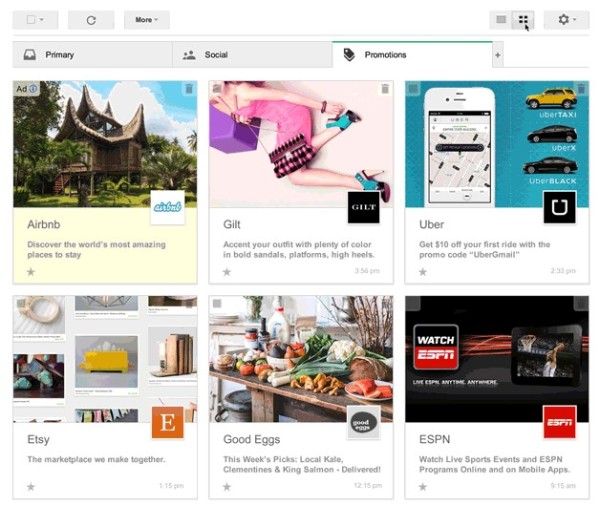
The visual web is coming to email with Google’s latest test of a grid view in the Gmail promotions tab. But it may take some more time before that is officially rolled out in the free webmail service of Google. Now, any Gmail account user could opt to take part in the new field trial for the new feature of the promotions tab.

gmail-grid-promotions-tab-test

Google’s Product Manager Aaron Rothman announced this new and interesting development for the promotional mail. He said the tab would soon feature numerous images from posters to photographs of almost any item that is commercially available.

He said that currently, those images are buried inside the messages in that section. When the new feature is officially rolled out, the usual subject lines that appear when the Promotions tab is opened would be replaced by the grid images. This, he added, would make it easier for Gmail users to pick deals and offers that are most interesting to them.

Gmail users can sign up to participate in the test starting today. Participants will be able to toggle between the traditional list view and grid view within the promotions tab. The test is limited to desktops at this point.


Twitter Rewards Promoted Accounts To Its Search Results

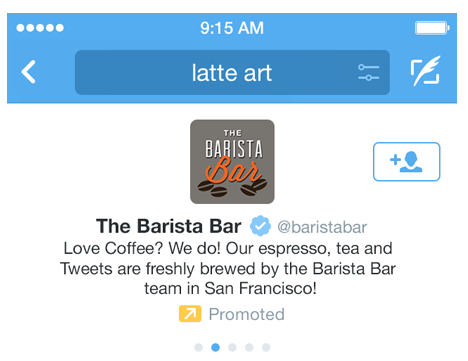
Twitter announced it will be now showing promoted accounts in search results, primary way for marketers to gain paid exposure on the microblogging platform.

A promoted account is an account that businesses pay to advertise to users, verses a Promoted tweet. However, mobile is an area where Twitter has performed particularly well, both in use and advertising.

Twitter-Promoted-Search-Results

Twitter Product Manager, Nippon Malhotra wrote in a blog post “With this launch, relevant Promoted Accounts can be presented to users in search results along with recommendations of people to follow. We automatically select relevant search queries for presenting Promoted Accounts based on an advertiser’s targeting choices, so no additional action is required for your business to access this capability.”

For example, if you’re looking for “coffee” or “mattresses,” in the Twitter search bar, the first few results you’ll see will be the Twitter handles of brands that have paid for Promoted Accounts. This increases the chances of that brand getting you to follow them, and also getting your business.

New Google Maps Comes Out Of Beta

It’s been nearly a year now since we saw a brand-new version of Google-Maps, rebuilt from the ground up to integrate street view, Google Earth and the rest of Google’s location services into a single place. The new Google maps have been available to users, who request an invitation since May, but starting today, becoming default version for all users.

The new Google Map is the most powerful Maps ever, it aims to simplify the world’s most widely used mapping software by making it more seamless to zip in and out of the basic view, Street View, and satellite imagery.

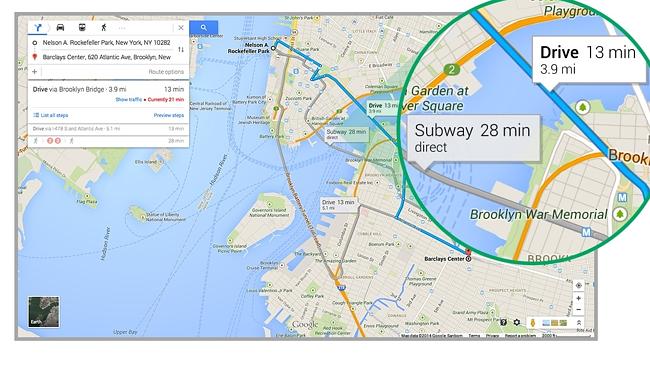
Google-Map

The map is now fully interactive. Click anywhere on the map it will tell you what your cursor has landed on complete with street view thumbnail. Make smarter decisions, just search for “coffee” in your neighborhood, you’ll be able to see results and snippets right on the map, including the time and distance for each route and with the new real-time traffic reports and street view previews. Rich imagery takes you to notable landmarks, sends you flying above mountains in 3D, and gives you a sneak peek of businesses you plan to visit. The new “carousel” at the bottom of the map makes all this imagery easy to access, so you can explore the world with a click.

We can dodge jams as live traffic is displayed with color coded alerts to congested roads, which was available earlier, but what’s new is the ability to predict traffic up to a week before you embark on your journey. Click on either a train or bus stop icon and it’ll tell you what lines operate and what bus number runs on that route. For some bus stops it will even tell you the times for the next departing buses.

Finally if you’re just not ready for change you can return to the old Google Maps by clicking the help icon and select ‘return to classic Google maps’.

YouTube Gives New Comment Management Page To Connect With Audience

Google’s video-sharing website has fast-tracked the development of a new comment management page that will let you view, respond to, and moderate your YouTube comments under one hub.

The new page is also designed to remove comments, flag comments for spam or abuse, give a thumb up, or click over to the video watch page and reply. There will also be able to click through to access the watch page of videos commented on.

YouTube

YouTube creators noticed an unfavorable increase in comment spam, among other things, forcing YouTube to issue a service-wide update that would fix the problem. YouTube also promised to issue more updates in the future for managing comments. With today’s update, however, YouTube has launched an improved comment management experience.

Google is also set to add some new options to the comment management page, including replying inline or expanding all replies. These new options will be available within the new page in a near future.

Article original Source: searchengine-marketing.in

New Google AdSense Features That Strengthens Strategy

Google shared some product updates with new features for responsive ad units and a multi-screen optimization score to complement and strengthen your strategy.

Google-Adsense

Following are the new features for responsive ad units:

  • Product manager says “If your responsive page changes its layout following a screen orientation change, we’ll request and load a new ad to fit the new page layout.”
  • Smart sizing based on the space available: The ad code will automatically adapt all newly created responsive ad units to fit your page layout.
  • Your ad unit reports can now be broken out by the size of the ad served.
  • Multi-screen optimization score in publisher score card: A new multi-screen category –for example, if a user need to zoom and/or scroll often, this may negatively impact their experience. Your score will measure what percentage of your pages are multi-screen optimized and compare this percentage to that of other AdSense publishers.

Note: You may not see this category in your scorecard if you have a low percentage of mobile traffic on your site. This new score will be visible in the scorecard on your AdSense home page.

Google Helpouts –New Video Streaming Tutorial Service

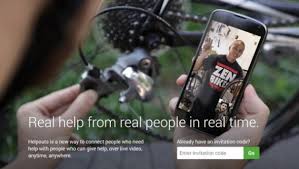
Google has officially announced the launch of Google helpouts after several months, it’s a new offering that people and businesses can use to make money via live social video.

Google said on its blog that its goal with Helpouts is simply to “Help people help each other.” Helpouts can open a new brand new revenue stream for the Mountain View, Calif.-based search company.
Google-Helpouts

Five ways Google can make money of its new Helpout service.

  • Charge Experts

Google allows now experts to set a price for their help. When Google tested this service, it took a 20% cut of the paid Helpouts as a platform fee. It should also be noted that Google will not charge medical professionals for health care Helpouts.

  • Charges Brand

You can get help from individuals or from brands you already know and trust. Google could promote these Helpouts in search results, similar to how advertising works in Google Maps, it will be another tool Google can add to its ever-growing portfolio of marketing services.

  • Bring More small Businesses to Google Service

It will give small businesses a chance to market their expertise for free or cheap and maybe generate a few extra dollars for the company. For Google, it’s another way to get more small businesses involved in its lucrative advertising platform.

  • Traffic from About.Com and WikiHow 

Google search is the number one destination for people to answer a question or get help. With Helpouts Google can keep this traffic for itself, as well as the advertising revenue that the traffic generates.

  • More users on Google Plus 

Google continues to push its Google plus social network by requiring users to sign up in order to use other services. Gmail accounts, YouTube and Hangouts are all tied to Google plus platforms and Helpouts are no different. Google Helpouts appears to be a service that benefits everyone involved, including users, small businesses, big companies and of course Google.

The beauty of Helpouts is its simplicity and it is a wonderful simple idea, using a webcam to show someone how to do something seems blindingly obvious-but this is the first time it has really been implemented in such a way as to be accessible and workable.



Google Glass Getting An App Store in 2014

Google will reportedly be launching a special app store just for Google Glass apps in 2014.

Earlier this summer, there were signs of Glass being supported in the Google play store, but nothing more has happened since then.

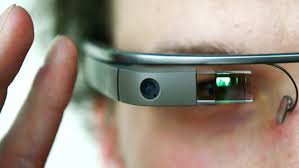
Glass is a tiny eyeglasses-mounted device capable of shooting photos, filming video, navigating through maps and surfing the internet in addition to offering text messaging. These have only been made available to developers in the US through Google’s Glass Explorer programme, but are expected to see a public release in 2014.

Glass-App

It would be interesting to see if Google would offer apps for Glass through a special section in its Play Store or develop a different destination for it.

As it stands Glass has no real storefront for developers to list their Glassware, although Googler Tomothy Jordan mentioned recently on Google+ that a process was coming soon. It’s also unclear whether or not Glassware will be available via play store as Glass currently only supports via web apps. It’s entirely possible standard APKs could be in the pipeline but it doesn’t seem like that’s really the focus for now.

Google will likely want a place that easily displays all Google Glass has to offer as people can buy it, so it makes sense to separate it out, even if it’s not completely separate from Google Play.


LinkedIn Updates For iOS7 And Adds Endorsements

LinkedIn announced a slew of updates for those that access the professional social network for their phone or tablet.

LinkedIn’s mobile site now lets you endorse connections, as well as accept endorsements from your connections and add skills to your profile. New members visiting LinkedIn from a mobile device will now be greeted with a step-by-step guide that explains how to build your network, join groups and follow channels for “professional news.”

LinkedIn-Updates

It’s finally turned to get dressed up for the iOS 7 party. The new app falls in line with iOS 7’s design changes and LinkedIn says its features “flatter, cleaner and more modern designs” like sharp edges and soft colors. Basically it fits in with iOS 7’s look. You can download the new versions from Apple’s App store: LinkedIn and Pulse.

LinkedIn promises that more mobile updates are on the way and it has been pushing hard to keep its mobile apps fresh. Although updates tend to take a while to arrive, their frequency has certainly increased as of late.


Google launches new knowledge Graph

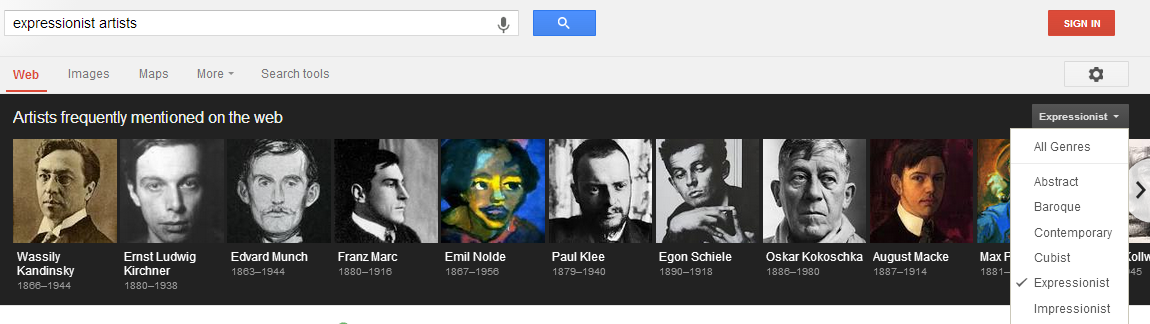
Google announced some new features in celebration of its fifteenth birthday. Google spoke about being able to process more complex queries, and part of that is evident in the new comparisons feature that presents Knowledge Graph facts side-by-side.

Just pull up your phone and say to Google: “Tell me the Expressionist artists”. You will see who the artists are and you can dive in to learn more about each of them and explore their most famous works. If you want to switch to Abstract artists, you can do that really easily with our new filter tool”.

Knowledge Graph

The way Google is trying to build information about real world connections is by building a knowledge Graph. For example if we do a search for a famous person, it collect relevant data about them, such as their date of birth, how tall they are. One of the first features that are introduced which applies knowledge Graph is a panel next to the web results. On both the desktop and mobile devices, you can do searches.

Let’s say wanted to learn about the most important Renaissance painters, you might search for “Leonardo Da Vinci” because he is the only Renaissance painter you know about. Now you’ll see information right in the search results that helps you to explore broader topic of Renaissance painters. You’ll see the most famous paintings from that era, like the Mona Lisa and discover other painters at that time like Michelangelo and Raphael.

Google’s Amit Singhal says that “We keep expanding features of the knowledge graph so it can answer more questions-even those don’t have a simple answer. Our new comparison tool gives you new insights by letting you compose new answer.”

Google will soon launch an update to the Google search app for iPad and iPhone that will provide Now-based reminder notifications across devices. Google is also launching a new design for mobile search results and ads.